Loading... Please wait...
Categories
- Dictation
- Typewriter Rentals
- Shredders
- Buying a Typewriter
- Video Conferencing
- Transcription
- Analog Dictation and Transcription Kit Combo
- Digital Dictation and Transcription Kit Combo
- Digital Voice Recorders
- REES/STAR Typewriter
- Conference Recording
- Telephones
- Computers
- Software
- Office
- Medical
- Legal
- Vintage
- Special of the Week
- Clearance Items
- Refurbished Center
Our Newsletter
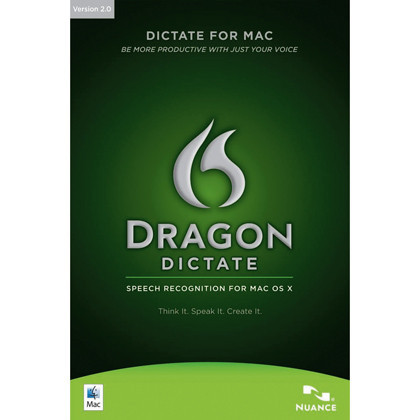
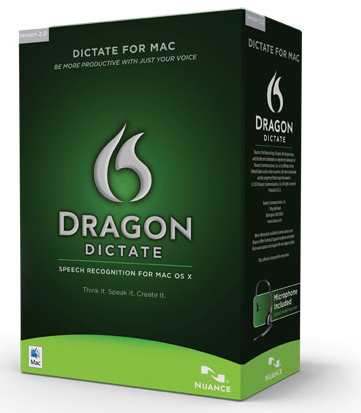
Dragon Dictate 2.0 Speech Recognition Software for Mac


)

Product Description
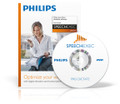
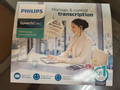
Dragon Dictate 2.0 Speech Recognition Software for Mac (MacSpeech)
MacSpeech Dictate provides a whole new way to interact with your Mac. Instead of typing, use your voice to input text; rather than clicking your mouse, just speak commands. With MacSpeech Dictate, it's easy.
Amazing Accuracy: MacSpeech Dictate will astonish you with its accuracy. You simply talk and leave the recognition to MacSpeech Dictate. MacSpeech Dictate recognizes and understands 13 English language variations, nine with U.S. spelling and four with U.K. spelling.
 Minimal Training Required: MacSpeech Dictate provides astounding accuracy and productivity. With just minutes of training, you’ll be using MacSpeech Dictate’s superior capabilities.
Essential Command Capabilities: Instead of using your mouse to select menu commands or your keyboard to type shortcuts, just speak a command. MacSpeech Dictate executes it for you. What's more, MacSpeech Dictate understands key commands. With the 'Press The Key' and 'Press The Key Combo' commands, you can enter specific keys and even keyboard modifiers like Command, Option, Shift, and Control. That makes you more productive and MacSpeech Dictate more intuitive.
Document Freedom: MacSpeech Dictate works great with most text documents, even those it didn’t create. MacSpeech Dictate can read a document’s contents, or a portion of it, that you can then navigate and edit.
Amazing Accuracy: MacSpeech Dictate will astonish you with its accuracy. You simply talk and leave the recognition to MacSpeech Dictate. MacSpeech Dictate recognizes and understands 13 English language variations, nine with U.S. spelling and four with U.K. spelling.
Minimal Training Required: MacSpeech Dictate provides astounding accuracy and productivity. With just minutes of training, you’ll be using MacSpeech Dictate’s superior capabilities.
Document Freedom: MacSpeech Dictate works great with most text documents, even those it didn’t create. MacSpeech Dictate can read a document’s contents, or a portion of it, that you can then navigate and edit.
Works With The Apps You Already Have: Microsoft Word, Adobe Photoshop, QuarkXPress, and more. And MacSpeech Dictate works great with Apple’s applications as well, including iChat, Mail, iPhoto, and Keynote, among others.
Spelling A World Of Words: MacSpeech Dictate’s spelling mode lets you easily spell words, names, and acronyms with either natural language or the International Radio Alphabet. You have complete control over every aspect of your speech recognition input.
Make Your Move: You don't need a keyboard or mouse to move around in your documents. MacSpeech Dictate lets you move your cursor forwards, backwards, and much more with just your voice. It helps make editing your documents a breeze.
No Hidden Costs: MacSpeech Dictate includes everything you need to be instantly productive as soon as you start using it, including a high quality headset microphone.
Amazing Accuracy: MacSpeech Dictate will astonish you with its accuracy. You simply talk and leave the recognition to MacSpeech Dictate. MacSpeech Dictate recognizes and understands 13 English language variations, nine with U.S. spelling and four with U.K. spelling.
Minimal Training Required: MacSpeech Dictate provides astounding accuracy and productivity. With just minutes of training, you’ll be using MacSpeech Dictate’s superior capabilities.
Essential Command Capabilities: Instead of using your mouse to select menu commands or your keyboard to type shortcuts, just speak a command. MacSpeech Dictate executes it for you. What's more, MacSpeech Dictate understands key commands. With the 'Press The Key' and 'Press The Key Combo' commands, you can enter specific keys and even keyboard modifiers like Command, Option, Shift, and Control. That makes you more productive and MacSpeech Dictate more intuitive. What could be better?
Document Freedom: MacSpeech Dictate works great with most text documents, even those it didn’t create. MacSpeech Dictate can read a document’s contents, or a portion of it, that you can then navigate and edit.
Works With The Apps You Already Have: Microsoft Word, Adobe Photoshop, QuarkXPress, and more. And MacSpeech Dictate works great with Apple’s applications as well, including iChat, Mail, iPhoto, and Keynote, among others.
Spelling A World Of Words: MacSpeech Dictate’s spelling mode lets you easily spell words, names, and acronyms with either natural language or the International Radio Alphabet. You have complete control over every aspect of your speech recognition input.
Make Your Move: You don't need a keyboard or mouse to move around in your documents. MacSpeech Dictate lets you move your cursor forwards, backwards, and much more with just your voice. It helps make editing your documents a breeze.
No Hidden Costs: MacSpeech Dictate includes everything you need to be instantly productive as soon as you start using it, including a high quality headset microphone.
Built Especially For The Mac: Mac users expect only the best from the applications they use on their Macs. MacSpeech Dictate was built from the ground up to ensure the ultimate experience on Mac OS X.
Exceptional Online Help: For those times when you need a little assistance, MacSpeech Dictate boasts a complete online, searchable help book. It’s convenient to use, easy to understand, and all just a mouse click away.
System Requirements:
- Mac OS X 10.5.1 (Leopard) or greater.
- Mac OS X 10.4.11 (Tiger) or greater.
- Internet connection required for product registration.
- MacSpeech-certified noise-canceling microphone (included with new purchase). 1.5.1